" width="18px"><g opacity="0.4"><path d="M 17.036 5.786 L 3.536 5.786 C 2.65 5.786 1.929 5.065 1.929 4.179 L 1.929 0.964 C 1.929 0.432 1.497 0 0.964 0 C 0.432 0 0 0.432 0 0.964 L 0 4.179 C 0.001 6.131 1.584 7.713 3.536 7.714 L 17.036 7.714 C 17.568 7.714 18 7.283 18 6.75 C 18 6.218 17.568 5.786 17.036 5.786 Z" fill="rgb(247, 247, 247)" height="7.714428914061898px" id="EIf7EERTU" transform="translate(0 10.286)" width="18px"/></g><path d="M 8.396 0.283 C 8.019 -0.094 7.408 -0.094 7.032 0.283 C 6.655 0.659 6.655 1.27 7.032 1.647 L 9.564 4.18 L 6.429 4.18 C 2.884 4.18 0 7.064 0 10.608 C 0 11.141 0.432 11.573 0.964 11.573 C 1.497 11.573 1.929 11.141 1.929 10.608 C 1.929 8.127 3.947 6.108 6.429 6.108 L 9.564 6.108 L 7.032 8.641 C 6.666 9.019 6.671 9.621 7.043 9.993 C 7.414 10.365 8.016 10.371 8.394 10.005 L 12.573 5.827 C 12.754 5.646 12.856 5.4 12.856 5.145 C 12.856 4.889 12.754 4.643 12.573 4.462 L 8.394 0.284 Z" fill="rgb(247, 247, 247)" height="11.572595196411214px" id="Ha_t3VDsa" transform="translate(5.143 0)" width="12.855651277727503px"/></g></svg>)
Negative Gap
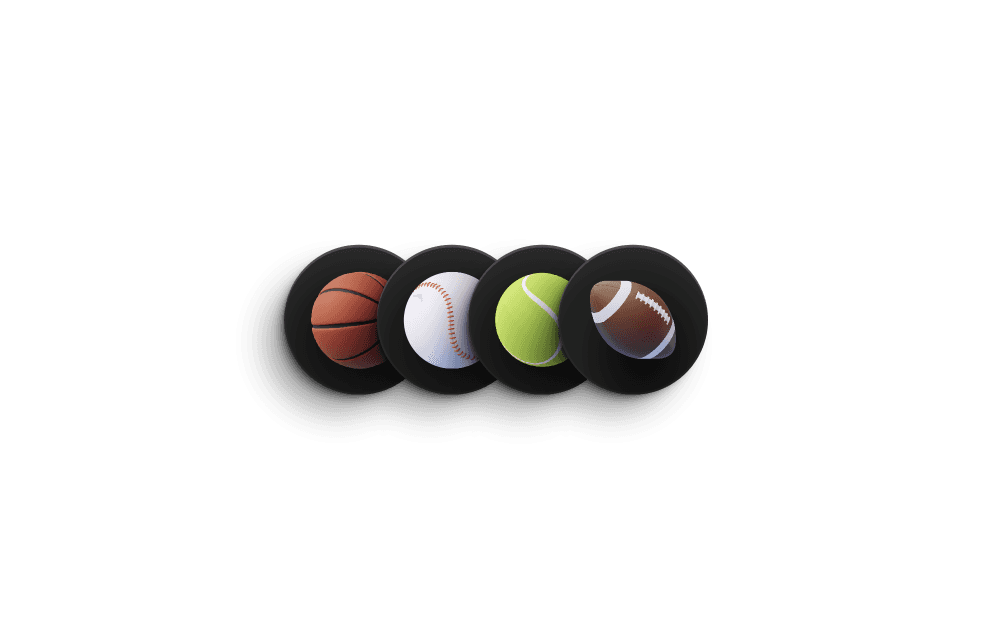
With this code component you can connect multiple frames and set a negative gap between them. The nice part is that you can create a regular component and place Negative gap inside, where you can animate between multiple states and have the transition play smoothly between variants like the demo on the left. Click "switch direction"
Adjustable properties
Gap value
Distribution & alignment
Direction
Stacking style
Works with native transitions
How do I use it?
If you have Premium access simply click Open Plugin in Framer and you can insert the component into canvas from the Plugin, if you are purchasing it individually you will receive a Remix link with instructions. It will appear in your left sidebar in the Assets tab under components - Eleveight Supply folder. From there you can drag it into your canvas for a new instance.